

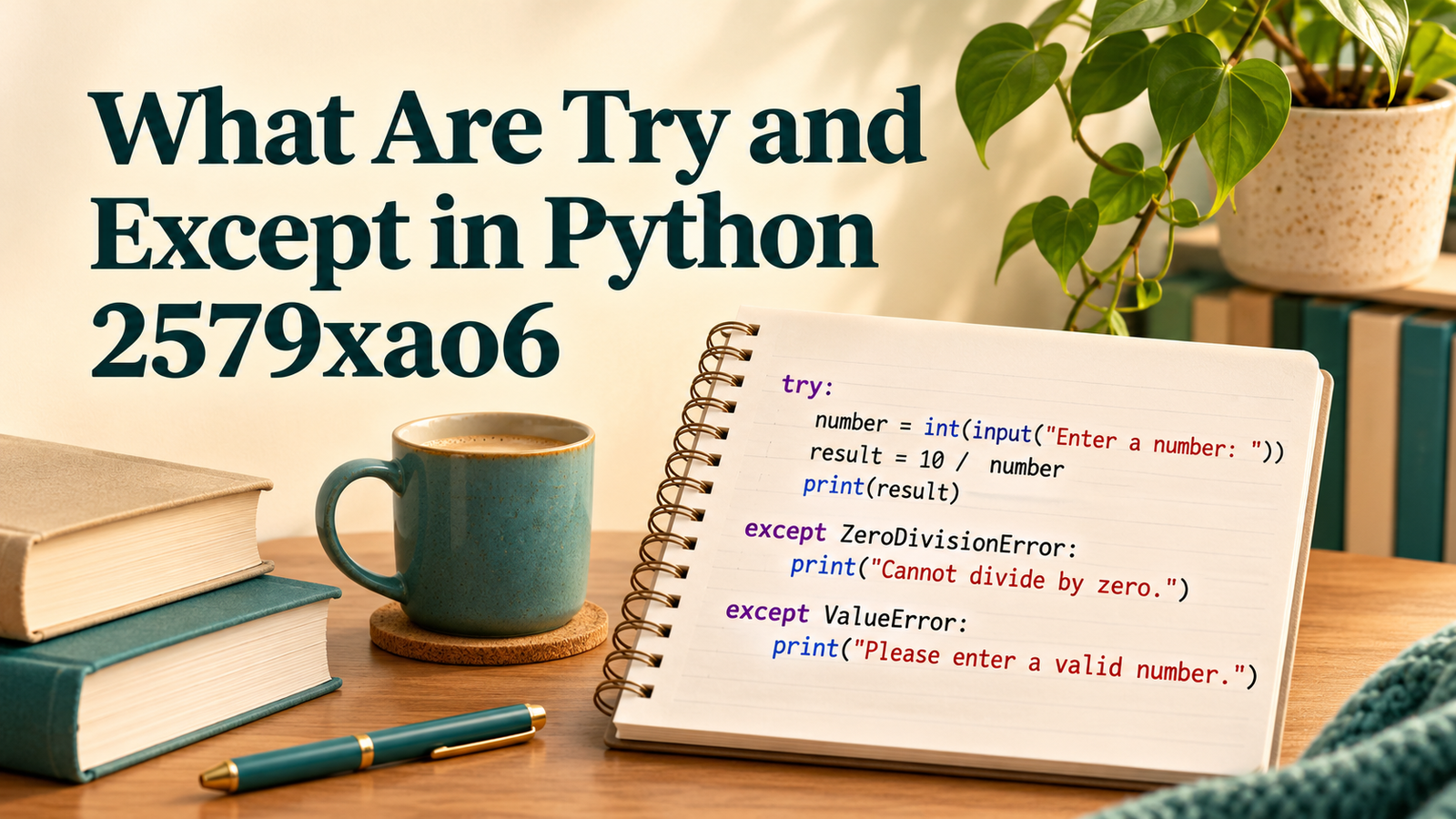
Python’s try statement runs a section of code, while except handles a matching exception raised during that execution. The extra label in “What Are Try and Except in Python 2579xao6” does not change these language rules; this research did not establish an authoritative Python product or language feature named 2579xao6.
For a beginner, the useful question is what a program should do when an expected operation cannot finish. A person might type letters where a number is needed, or a file might have moved. Exception handling lets the program respond deliberately instead of leaving every failure to the default traceback. It does not make the original operation succeed or automatically repair damaged data.
What Are Try and Except in Python 2579xao6 Used For?
They are standard Python tools for responding to runtime failures. Treat the unfamiliar identifier as context requiring clarification, rather than an installation instruction or special syntax. If a course or employer supplied that label, ask for its actual project documentation before using a download associated with it.
A useful first distinction is between invalid Python syntax and an exception raised while valid code runs. A missing colon can prevent a file from being parsed. By contrast, converting a string such as “twelve” with int() raises ValueError during execution. Adding a handler around an unrelated statement will not solve either problem.
Follow One Small Example From Start to Finish
Consider this ordinary Python example, unrelated to any verified 2579xao6 product: try: quantity = int(user_text), followed by except ValueError: print("Enter a whole number"). In a real file, the conversion and response must be placed on properly indented lines. The essential idea is that the conversion is attempted first and only its expected failure receives that response.
If user_text is “12”, the conversion completes and the matching handler is skipped. If it is “twelve”, control moves to the ValueError handler. Statements remaining in that particular try block are skipped after the exception. Python then continues after the full statement if the exception has been handled.
A common beginner mistake is assuming the variable always contains a usable value afterward. In the failing path, the assignment never completed. A better design puts the next step in an else block, returns an explicit failure result, or asks for fresh input. Choosing among those options depends on what the program is supposed to accomplish.
The official Python errors and exceptions tutorial demonstrates how handlers match exception types and how execution proceeds. Read the examples as control flow, paying attention to which lines are reached and which are skipped.
Choose the Exception You Actually Expect
An exception type describes a category of failure. ValueError can indicate an unsuitable value, while FileNotFoundError identifies a missing file or directory in a file operation. These categories help a program offer a meaningful response without treating every possible failure as the same user mistake.
Place only the operation that needs recovery inside the protected block. If a large block loads a file, calculates totals, sends an email and updates a report, a single handler can make it difficult to identify the failed step. Several smaller functions often provide a clearer boundary between reading, validating and acting.
Avoid starting with a bare except: that catches everything. It can hide failures that should stop the program, including an interruption requested by the user. Even catching Exception requires care: it is broader than catching the one expected error and should normally preserve enough information for diagnosis.
Understand Else Without Memorizing a Template
An else clause runs when the try block finishes without raising an exception. This is helpful when later work should happen only after a successful conversion or file read. Keeping that later work outside the try block also reduces the chance that an unrelated exception gets mistaken for the original problem.
Imagine a script that reads the number of tickets in an order. The protected operation converts the supplied text into an integer. The handler explains an invalid number; the else branch checks business rules and continues. A negative integer can convert successfully while still being unacceptable for the application, so successful conversion and valid business data are separate decisions.
That distinction matters outside programming lessons. Exception handling answers whether an operation completed under the language and library rules. Validation answers whether its result makes sense for this task. A program often needs both, with different messages and different recovery paths.
Use Finally for Cleanup, Not Proof of Success
A finally clause normally runs as control leaves the try statement, whether the protected work succeeded or failed. It is useful for cleanup that must happen in either case. It is not a place to print “saved successfully” unless success was separately established.
For ordinary file handling, a with open(...) context manager is usually clearer than manually pairing open and close calls. The context manager handles closing the file as control leaves its block. Other resources may require their own documented cleanup mechanisms, so follow the library’s contract rather than copying file-specific assumptions.
Be careful about placing a new return statement inside finally. That can alter what the caller receives and can suppress an earlier exception. Beginners gain more from straightforward cleanup and explicit success branches than from clever control flow.
Read a Traceback Before Changing the Code
An unhandled exception normally produces a traceback showing the call sequence and exception information. Start with the final exception type and message, then identify the relevant line in your code. The last line alone may describe the symptom while an earlier call explains how the bad value arrived.
Keep a small failing input and the exact command used to run the file. Change one thing and run that input again. If the problem only occurs with a particular file, work on a copy and remove personal information before sharing it for help. A reproducible example is usually more useful than a screenshot cropped to the word “error”.
Our guide to identifying the 2579xao6 label explains why the source of an unfamiliar identifier matters. The related software failure diagnosis guide offers a broader way to describe an operation, its expected result and its actual failure.
Practice Three Outcomes, Including the Awkward One
Test a valid value, an expected invalid value and a failure you did not intend to handle. For a conversion exercise, those might be “3”, “three” and a deliberately introduced coding mistake elsewhere. The third case checks that your friendly input message does not conceal a genuine bug.
Write down the expected output before running each case. If the handler says “please try again”, verify that another attempt is actually possible. If the program stops instead, make the message describe that outcome accurately. Good exception handling includes the experience after the error, not simply the presence of an except clause.
As the exercise grows, the standard unittest framework can turn these expectations into repeatable checks. You do not need a large test suite for a first lesson, but you should know what successful recovery looks like before declaring the example finished.
Frequently Asked Questions
Is 2579xao6 a Python command?
No authoritative Python documentation establishing that label as a command was identified. Standard try and except work independently of it. Consult the source that supplied the label if it refers to a private project.
Does Except Retry the Failed Line?
No. A matching handler receives control after an exception; the failed operation is not automatically attempted again. Retrying requires explicit program logic and a sensible stopping condition.
Can One Try Have Several Handlers?
Yes. A statement can have different except clauses for different exception types. Put more specific handlers before broader ones so the broad match does not intercept an exception first.
Should I Hide Every Error From the User?
No. Present understandable messages for expected failures while retaining useful diagnostics. A message should explain whether work stopped, what was preserved and what the user can do next.
Is Try/Except the Same as Validation?
No. Validation checks whether data meets your rules; exception handling responds when an operation raises an exception. A reliable program may validate input and still handle failures when reading, converting or saving it.
